Byte
Not deployed publicly. If you'd like to try it, reach out at [email protected].
What it is
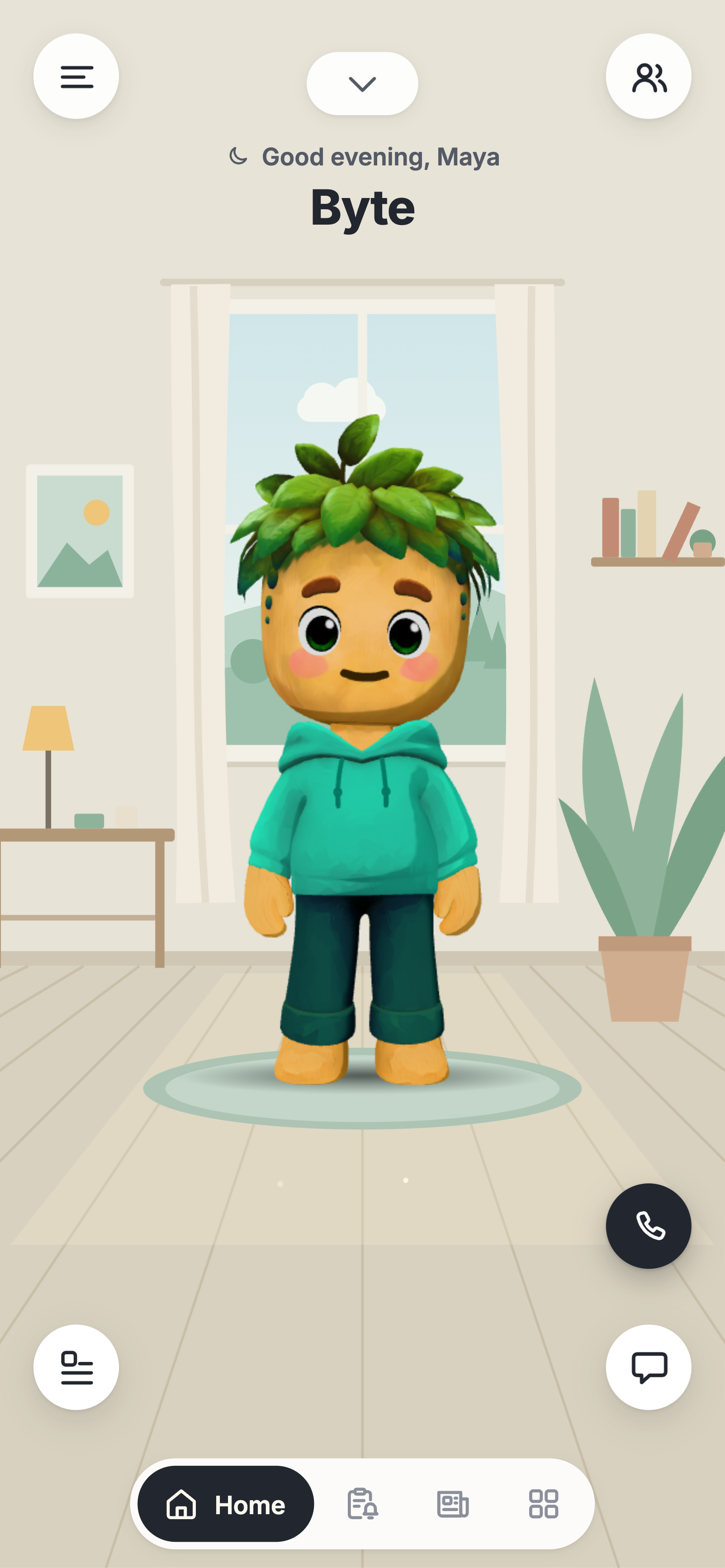
Byte is a companion app, an experimental spin-off of Sola, the main app at Vel Labs. You talk to one character, also called Byte, by text, voice notes, video notes or a phone call. He remembers what you tell him, messages you first now and then, and does things for you when you ask.
How it works
Chat and memory
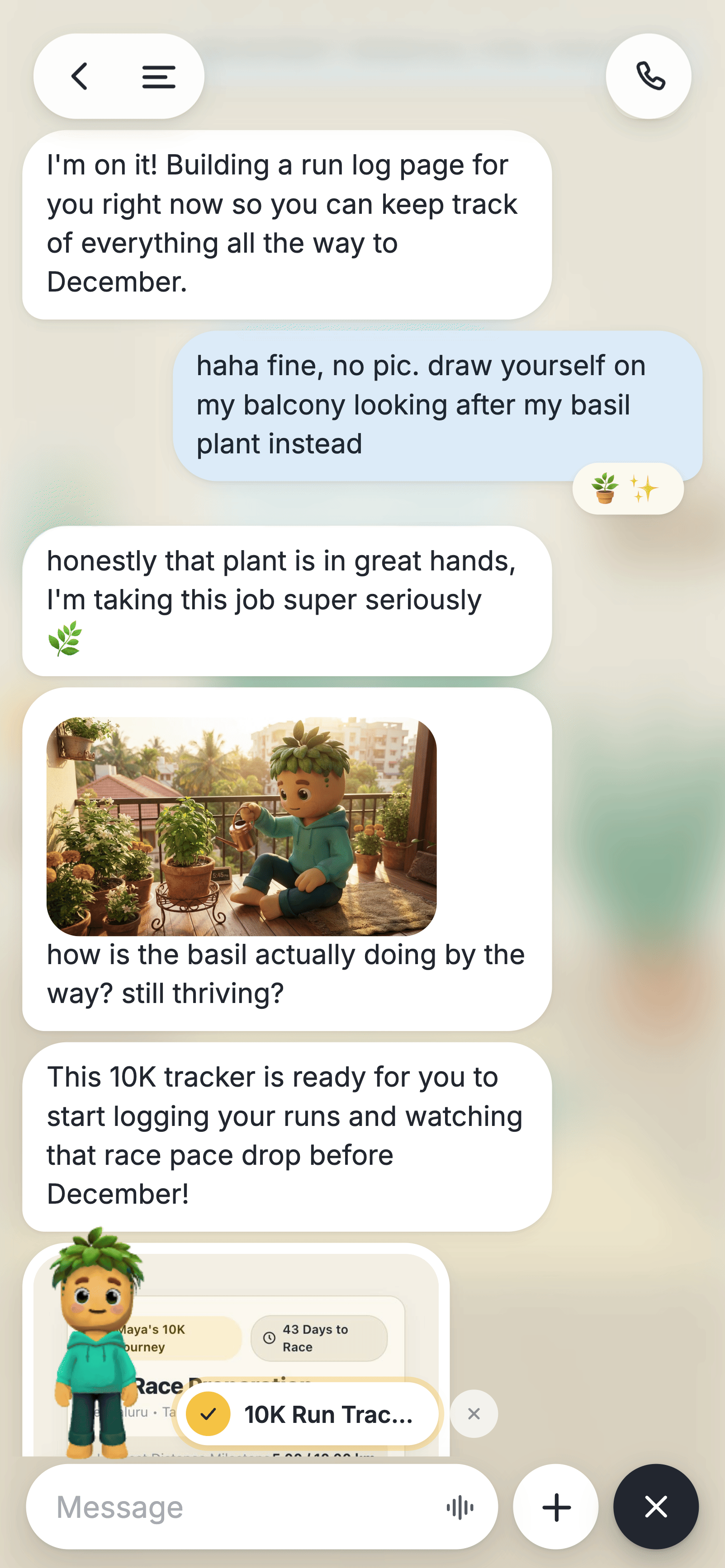
You text Byte the way you'd text a friend. He replies in short messages, in your language. He remembers what you tell him across days, so if you mention your sister, a race in December or the basil on your balcony, he brings it up later without being asked.
Ask for a picture and he draws it, himself included.
Voice and video notes
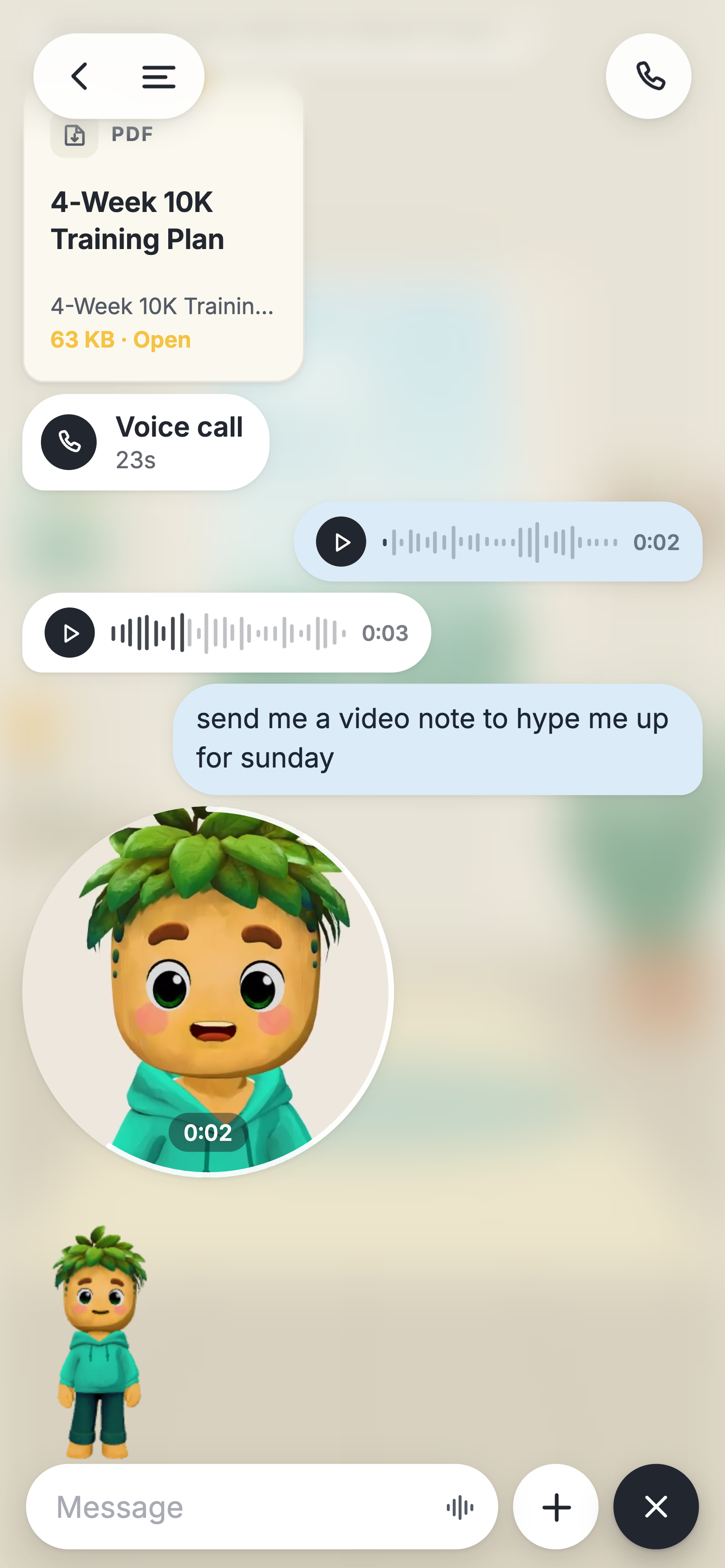
Send a voice note and he can answer with one in his own voice. Video notes work both ways too. His are his own animated character, speaking.
Reminders that ring you
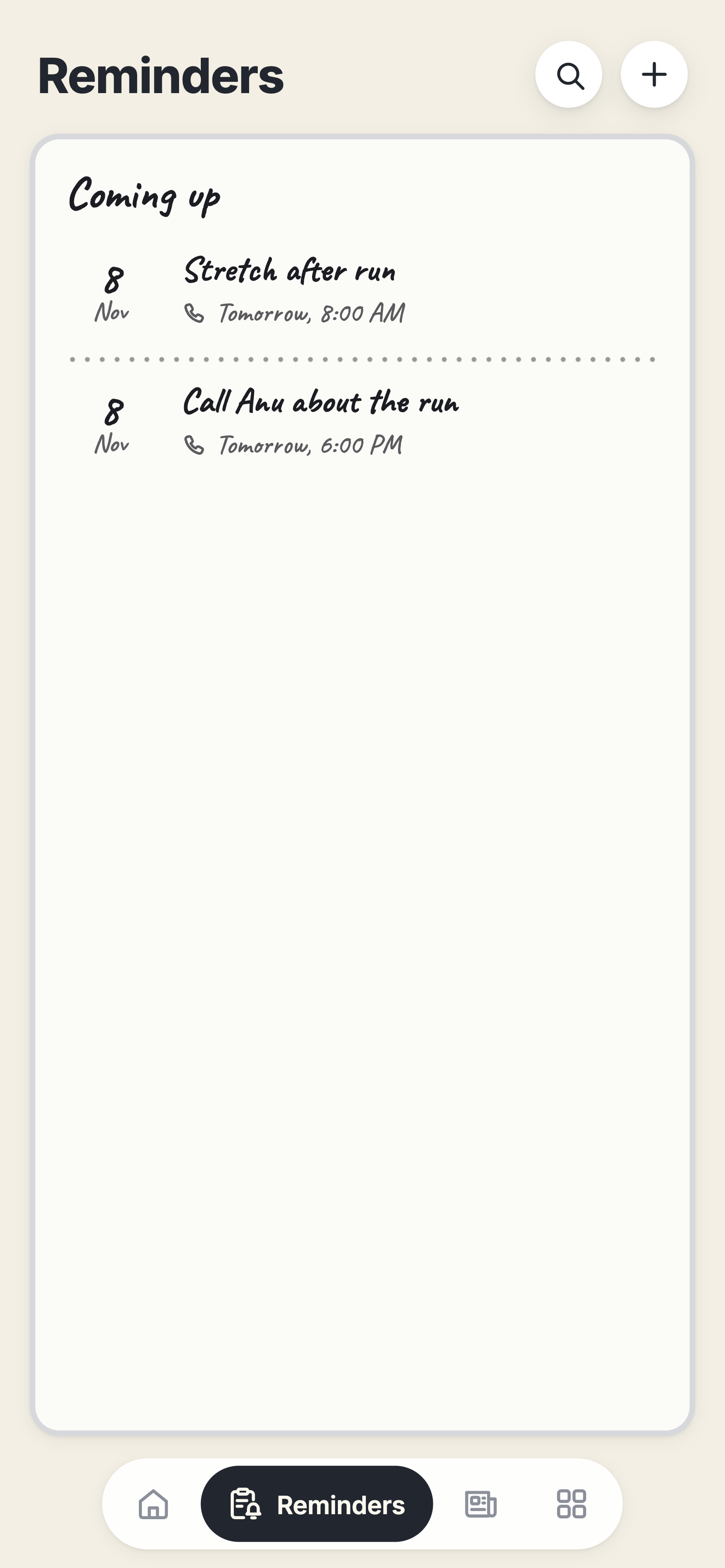
Ask for a reminder and it goes on his whiteboard. When it's due he messages you, or rings you if you asked for a call.
Calls
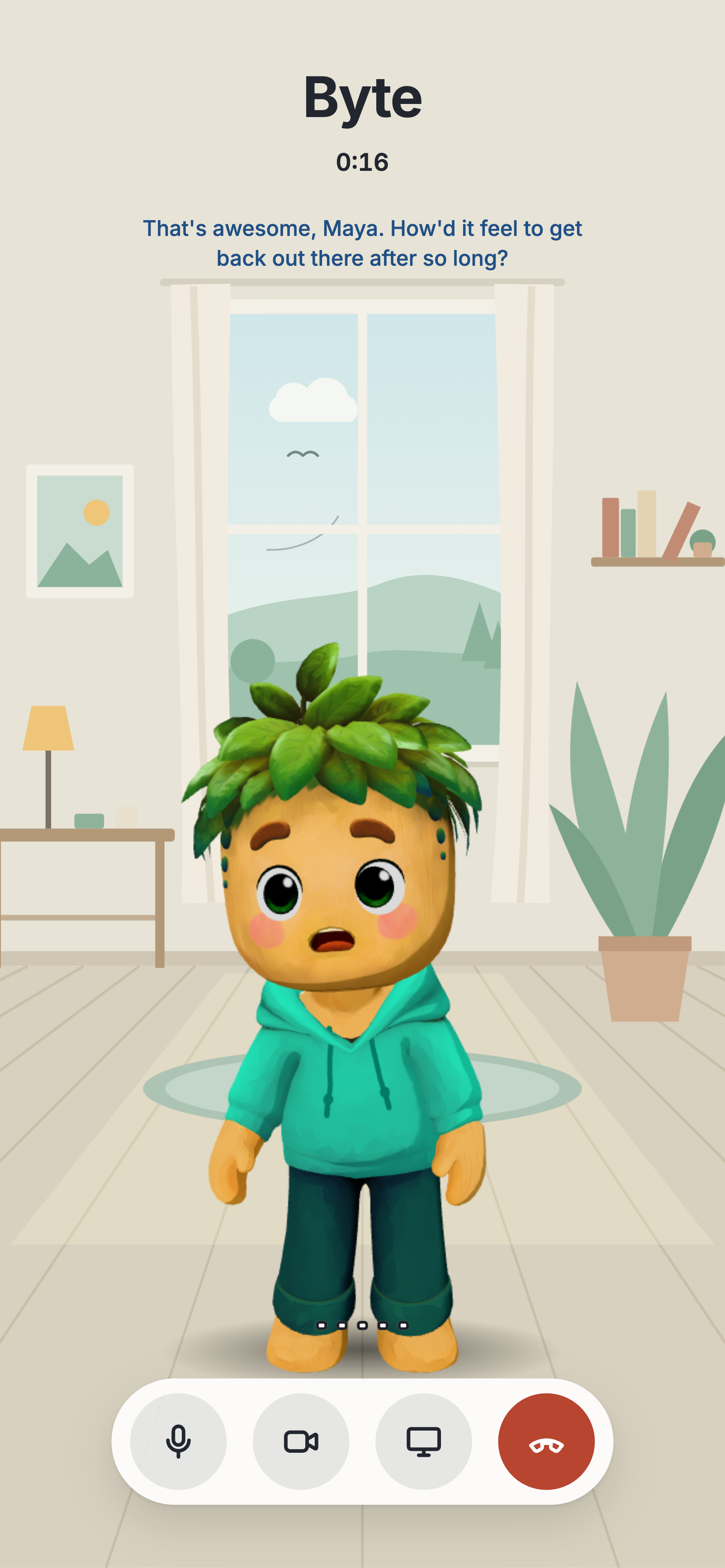
A real voice call, in his own voice. There's no button to hold: you talk, pause, and he answers. If you talk over him, he stops and listens. Turn on your camera or share your screen and he can talk about what's in front of you.
If you ask for something that takes work mid-call, like looking something up or setting a reminder, a second model does it in the background while he keeps talking, then he tells you.
Pages he builds
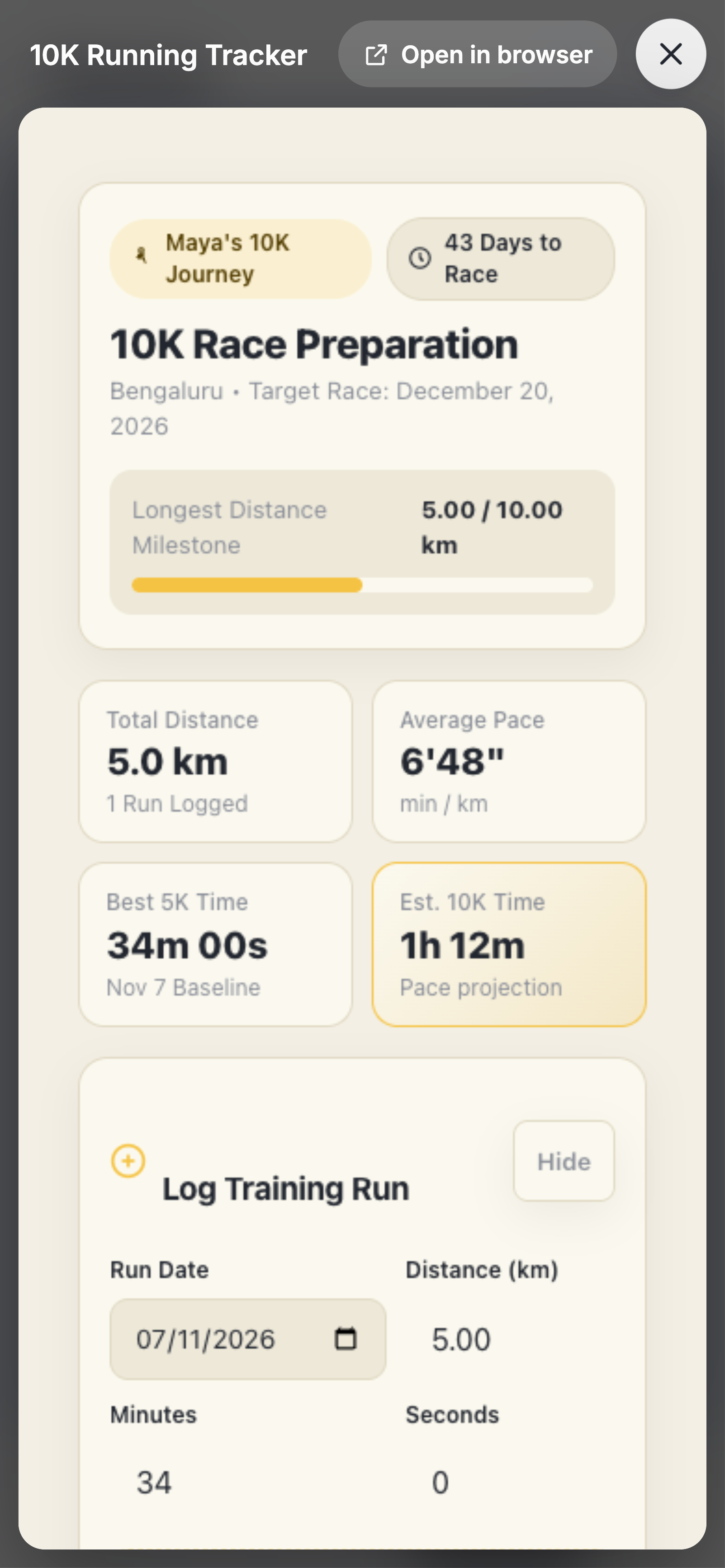
Ask for something useful, like a run tracker, and he builds a real working web page and sends it to you as a card. Before you get it, the page is opened in a headless browser, its buttons are tapped and anything broken goes back to be fixed. What you enter in it is saved.
His browser
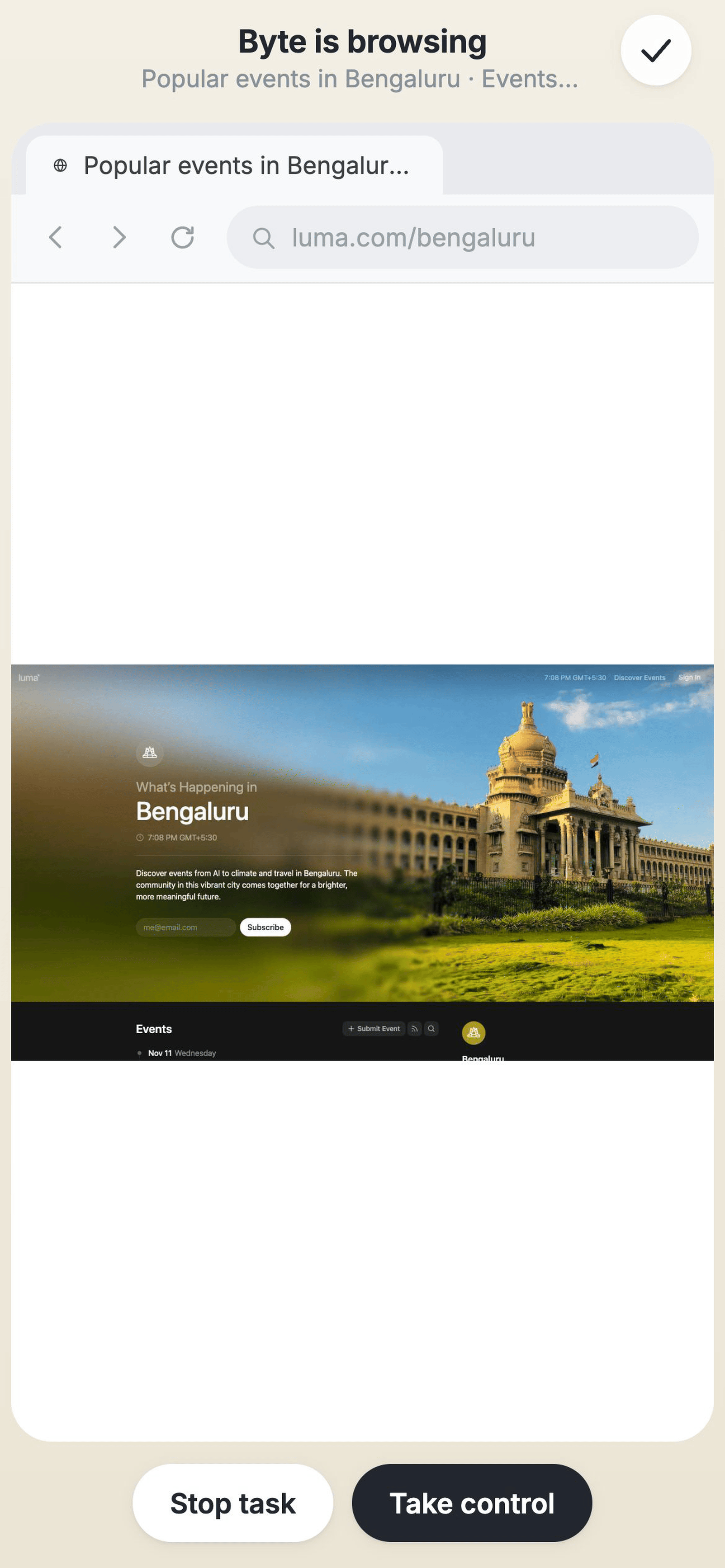
He can use a real web browser to find things out, and you can watch him do it live in the app. Here he found a Saturday long-run group in Bengaluru, then put a reminder for it on his whiteboard. Take control pauses him and hands you the browser. He never places orders or payments.
And more
- Files. Ask for a PDF, Markdown, CSV or Excel file and he makes one, viewable in the app.
- Notes. Ask him to write something down and it arrives as a note card.
- Web search for questions that need current facts, like event dates or opening hours.
- His look. Rename him, pick his voice and outfit, and choose a scene and colour theme.
Canonical URL: https://frostworks.dev/projects/byte
Markdown: https://frostworks.dev/projects/byte/index.md
Site index: https://frostworks.dev/llms.txt
Everything in one file: https://frostworks.dev/llms-full.txt
[← Projects](https://frostworks.dev/projects.md) # Byte Not deployed publicly. If you'd like to try it, reach out at [email protected]. [Explainer video](https://frostworks.dev/images/projects/byte/video.mp4) ## What it is Byte is a companion app, an experimental spin-off of Sola, the main app at Vel Labs. You talk to one character, also called Byte, by text, voice notes, video notes or a phone call. He remembers what you tell him, messages you first now and then, and does things for you when you ask.  ## How it works ### Chat and memory You text Byte the way you'd text a friend. He replies in short messages, in your language. He remembers what you tell him across days, so if you mention your sister, a race in December or the basil on your balcony, he brings it up later without being asked. Ask for a picture and he draws it, himself included.  ### Voice and video notes Send a voice note and he can answer with one in his own voice. Video notes work both ways too. His are his own animated character, speaking.  ### Reminders that ring you Ask for a reminder and it goes on his whiteboard. When it's due he messages you, or rings you if you asked for a call.  ### Calls A real voice call, in his own voice. There's no button to hold: you talk, pause, and he answers. If you talk over him, he stops and listens. Turn on your camera or share your screen and he can talk about what's in front of you. If you ask for something that takes work mid-call, like looking something up or setting a reminder, a second model does it in the background while he keeps talking, then he tells you.  ### Pages he builds Ask for something useful, like a run tracker, and he builds a real working web page and sends it to you as a card. Before you get it, the page is opened in a headless browser, its buttons are tapped and anything broken goes back to be fixed. What you enter in it is saved.  ### His browser He can use a real web browser to find things out, and you can watch him do it live in the app. Here he found a Saturday long-run group in Bengaluru, then put a reminder for it on his whiteboard. **Take control** pauses him and hands you the browser. He never places orders or payments.  ### And more - **Files.** Ask for a PDF, Markdown, CSV or Excel file and he makes one, viewable in the app. - **Notes.** Ask him to write something down and it arrives as a note card. - **Web search** for questions that need current facts, like event dates or opening hours. - **His look.** Rename him, pick his voice and outfit, and choose a scene and colour theme.
